SQL Server on Azure Virtual Machine – More than a IaaS
I was doing a webinar last week about running SQL workloads on Azure Virtual Machine. An interesting topic of discussion was yes, when we think of virtual machine, it is purely Infrastructure as a Service (IaaS). However, when we think of running SQL Server on Azure Virtual Machine, we get a lot more capabilities / features that we would typically do not expect on IaaS offering.
Automated Patching
We can enable automated patching, both Windows & SQL Server patches, to be applied on the virtual machine once every day or once every week. We can also provide the patching time window for Azure to apply the patches.

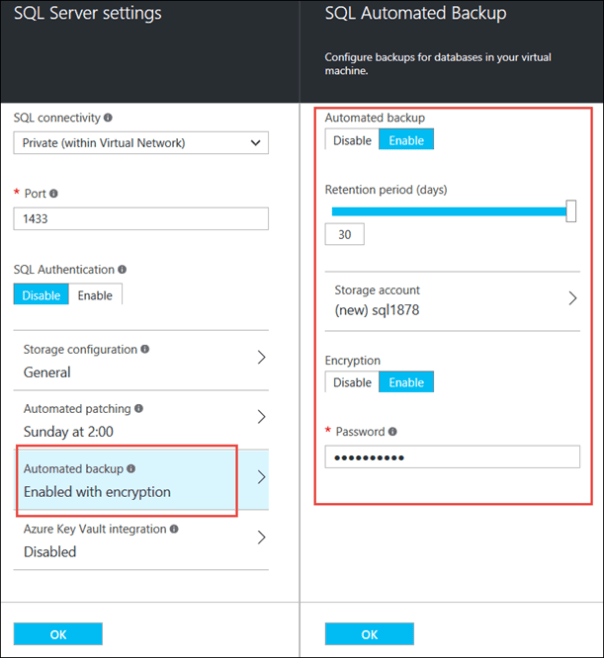
Automated Backup
We can configure automated backup of SQL Server 2014 Enterprise and Standard virtual machines, to retain the backups for up to 30 days. We can optionally configure the backups to be encrypted.
Learn More
Read more from the official blog https://blogs.technet.microsoft.com/dataplatforminsider/2015/01/29/automated-backup-and-automated-patching-for-sql-server-in-azure-portal-and-powershell/.

Posted on 2016/03/10, in Microsoft Azure, SQL Server and tagged IaaS, Microsoft Azure, SQL Server. Bookmark the permalink. Leave a comment.
 Imagine - Experiment - Realize
Leave a comment
Comments 0